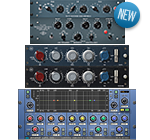
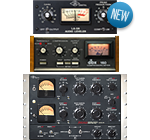
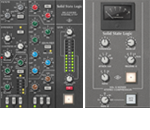
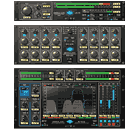
Steinberghas released the RND Portico series plugins which consist of a 5033 equalizer and a 5043 compressor. I've used the analog hardware so I'm anxious to see if they were able to capture the Neve Portico sound.
From the Website:
"The Rupert Neve Designs Portico plugins brings the legendary Neve sound to the world of digital music production. Utilizing Yamaha’s unique VCM technology, these plug-in exactly reproduces the analog warmth and sonic finesse of its acclaimed hardware counterpart."
RND PORTICO 5033
FEATURES
Parametrical equalizer with graphical control over frequency and gain
Five bands including low and high shelf filters and three bands with filter-width regulation
Exact digital copy of the renowned Portico 5033 EQ
Based on VCM technology for capturing all the subtle details and acoustic nuances of the hardware original
Exclusively approved by Rupert Neve
Available in VST 3, VST 2.4 and AU format for multi-instance use within DAW hosts like Cubase or Nuendo
Specification:
Low frequency band:
30 Hz to 300 Hz, +/- 12dB
Low-mid frequency band:
50 Hz to 400 Hz, +/- 12dB, filter width (Q) 0.7 to 5
Mid-frequency band:
300 Hz to 2.5 kHz, +/- 12dB, filter width (Q) 0.7 to 5
High-mid frequency band:
1.8 kHz to 16 kHz, +/- 12dB, filter width (Q) 0.7 to 5
High-frequency band:
2.5 kHz to 25 kHz, +/- 12dB
RND PORTICO 5043
FEATURES:
High-quality compressor with input and gain reduction metering
Feed-Forward and Feed-Back mode for two entirely different compression characteristics
Based on the widely-acclaimed Portico 5043 Compressor / Limiter Duo
VCM technology allows the exact reproduction of all the subtle details and acoustic nuances of the hardware original
Exclusively approved by Rupert Neve
Available in VST 3, VST 2.4 and AU format for multi-instance use within DAW hosts like Cubase or Nuendo
Specification:
Threshold: -50 dB to 0 dB
Ratio: 1.1:1 to Limit (more than 8:1)
Attack: 20ms to 75ms
Release: 100ms to 2.5s
Gain: -6dB to +20 dB
Save An Extra 10% Off UA Bundles — Including 4 New Bundles — and Get a $25 Coupon!
UAD Powered Plug-In Bundles not only provide all-in-one solutions and one-stop shopping for your favorite plug-ins, but their built-in discounts save you money too. This July, save an extra 10% on all of our already-discounted UAD-Powered Plug-In Bundles — including 4 new bundles, created especially for this promotion.
Plus, we've issued you a special $25 UAD Powered Plug-Ins Coupon, which you can redeem toward the purchase of more than 40 different plug-ins and bundles through July 31st.* Just enter Coupon Code "JULY25" at checkout.
An Essential Mastering Toolkit and Longtime UAD User Favorite.
If purchased separately $647
Now Just $449.49
Hurry, this offer — and the $25 July coupon — expire at 12:00AM (Pacific Daylight Time) on August 1st, 2011, so visit theUA Online Store today. * Note: July plug-in coupons are not redeemable toward purchase of the Lexicon 224 Classic Digital Reverb plug-in, nor the UAD 4K/SSL Crossgrade offer.
Phone Support:
USA: 877-MY-UAUDIO
[877-698-2834]
Int'l: +1-831-440-1176
FAX: +1-831-461-1550
Available from 9am - 5pm
Monday through Friday, PST
From their website:
"The DM1 is an advanced vintage Drum Machine. It turns your iPad into a fun and creative beat making machine. Easy and fast to use, loaded with 24 superb electronic drum kits and beautiful hyper-realistic graphics. It has been designed for a lot of instant fun."
Specifications:
✔ Graphic design by Jonas Eriksson
✔ Smart ergonomy for fast creativity and fun
✔ 24 vintage and produced drum kits, mastered at in-house Fingerlab Sound Studios
✔ Mixer page with pitch, length and level rotary controls, and custom drum kit per channel
✔ Extra fast drum kit loading
✔ Playable pattern selection for extra creativity
✔ 9 Big Drum pads, quantized recording and MPC-like Repeat touch-stripe
✔ Step Sequencer with multi-touch matrix
✔ Duo FX Trackpads for real-time sonic destruction and multi-FX
✔ Mode song with intuitive editing
In development:
✔ More FX
✔ High-quality export to email or iTunes shared folder
✔ AudioCopy export
✔ Samples import
✔ MIDI
"The Retro Powerstrip recording channel is a high powered "channel strip" or "vintage studio in a box", capturing the tone of a tube mixing desk, Pultec-style tube EQ and British tube compressor all in one compact 2u rack unit. It has all the right inputs and enough gain for every microphone and instrument you can throw at it. It has a balanced line level input for pro-interface instruments and for use during mix time. The performance is purely musical. It is perfect for use in any size recording studio or on stage." Features
Transformer coupled Class-A tube microphone preamplifier with phantom power.
Industry-standard Passive EQ with authentic feel, controls and equalization curves.
Classic British variable-mu tube compression.
Front panel 1/4' instrument jack.
Rear panel XLR mic and line inputs and line output are fully-floating transformer balanced to eliminate ground-induced hum and noise.
IR1 puts the meticulously captured sound of the world's most renowned spaces in your hands. Now you can capture the sonic characteristics of your favorite rooms and hardware, and shape the reverbs with pinpoint precision.
Everybody wants to play the big rooms. With the IR1, you’re there.
Bring the richness and warmth of real tape saturation to your DAW with the MPX Master Tape, developed in association with producer/engineer Eddie Kramer(Jimi Hendrix, Led Zeppelin).
It’s the reel deal.
Find out what WavesLive Artists are doing live on tour.
- Bodo Schulte(Schiller) - Bryan “Froggy” Cross(Britney Spears) - Chris BRX Apfalter(Kruder & Dorfmeister) - Dave Aron(Snoop Dogg) - Ken "Pooch" Van Druten(Linkin Park) - Kevin “Tater” McCarthy(Linkin Park) - Pete Keppler(Katy Perry)
LIVE SOUND & COMPUTERS: TAKING IT ONE DAY AT A TIME
The last few months have seen me using different consoles all over the world. The two bands that I have been doing one-offs with do not carry their own gear, so I find myself on different consoles and PAs every single day. The computer work that is required prior to even listening to the system is staggering these days. Even to the point of frustration.
Once regarded as a DJ's DAW, Ableton Live is fast becoming a favorite for many producers.
If you use Ableton Live or thinking about using it, check out this video.
Here's a list of the topics covered:
1. Cut copy paste
2. Duplicate
3. Command A
4. Tab selects session or arrange window
5. command shift i
6. Highlight & effect multiple
7. Cmd f – scroll display to follow playback
8. Sidechain w/ compressor
9. Sidechain w/o compressor
10. Freeze
11. Audio to midi
12. Command 4 (no grid)
13. Command 1,2 &3(grid)
14. Cmd b – pencil
15. Hear samples w/ speaker icon
16. Tune drums with EQ
17. Tune drums w/ freq shifter
18. Send returns
19. Step record
20. Assign midi knob/fader
21. Assign midi button
23. Assign midi key
24. Midi key select (no wrong notes)
25. Warp: alt drag
26. Warp: shift drag
27. Warp: Select multiple, alt Drag
28. Warp multiple
29. DJ cue
30. Split DJ track
31. Record multiple tracks
32. Consolidate
33. Add time
34. cut time
35. dup time
36. Group tracks
37. Group instruments
38. Group effects
39. Chain selector
40. Add random w/ groove
41. Bass/low layer/high layer
42. Reverse reverb
43. Impulse- separate samples
44. Macros
45. Record session to arrange
46. Sustain midi loops
47. Send output to:
48. Receive input from:
49. Envelope automate (draw)
50. Envelope automate (record)
51. Dummy clips
52. Make kick
53. Cut non bass at 120hz
54. Shift & up/down arrow key moves selected midi notes by the octave
55. Shift tab: clip properties to instruments/fx
56. Click arrow to return to zero or center
57. Double click when zoom tool appears to show full arrangement or select area
59. Space bar stop, hit again restarts from cursor point
60. Shift space bar to stop and continue
61. Linked unlinked clip automation
62. Shift click to grab multiple tracks. Effect 1 and they all are effected (like volume)
63. Change cue to a different output to be able to cue each track (headphones icon)
64. Ctrl + shift + m – add midi clip
65. Alt + click – expand/collapse all tracks
66. Click + shift + arrow key – shorten or lengthen selected midi notes.
67. add return track ctrl + alt. + T
68. Cmd + Del – deletes automation but not the clip.
69. Drag section of a clip to a midi track, automatically creates a simpler with the sample
70. Assign knob to 1 clip for looping & pitch correct
71. Highlight all clips change warp settings, save, launch info etc
72. Simpler to sampler
73. Shift + – zoom in. – zoom out
74. Shift ? – shows info
75. Cmd alt B – show/hide browser
76. Cmd alt O – show/hide overview
77.cmd alt I – show/hide I/O
78. Cmd alt S – show/hide sends
79. Cmd alt m – show hide mixer
80. Cmd , – preferences
81. Cmd drag – fine adjustments
82. Cmd R – rename tab, rename next
83. Cmd up/down double or half loop length
84. Cmd up/down on midi part – goes to next midi note
85. Shift left right on midi note – lengthen shorten note
86. Enter – launch selected clip/clips
87. Cmd L – loop selected
88. Shift drag over envelope breakpoints.
89. Cmd t – create audio track
90. Cmd shift t – create midi track
91. Cmd alt t – create return track
92. Cmd M Midi map on off
93. Cmd K key map on off
94. Cmd U quantize
95. Cmd drag (alt drag PC) adjust velocity on selected midi notes
96 Cmd shift U quantize Settings
97. Route multiple tracks to sidechain
98. Utility for automated volume & volume for fine tuning later
Here's another entry from Carlisle's blog where he gives more insight into the music biz:
"I used to wish I was never born. I only liked reading about things that didn’t tell me the truth about myself. I hated myself for a long time because I started to realize that I worked like a magnet and for the most part I attracted immature negative blood sucking lying assholes. The music business exposed who I really was. I used to always think something was wrong with everyone else but I had to accept that there is a God and he does make dreams come through. Everything I ever dreamt for came around the first year I started to make money. What I wanted was probably only 10% of what I had gotten. I wasn’t educated enough to know the negativity that came along with dreams and the self disrespect that kept them alive. I’ve never had a “life” teacher. I basically learnt as I fucked up. And the price of fucking up is usually my “name”. As big as the music business is it’s a ..."
Read more at the link below ....
ART's USB Dual TubePre Audio Interface seems like it would be a great choice for a portable setup especially now that Protools 9 supports any interface. With two tube microphone preamps, DI, Optical Compressor, inserts, SPDIF digital I/O and Latency free monitoring, this USB TubePre packs a lot of features for just $149.
From the website:
"The USB Dual TubePre is the ultimate compact dual channel tube preamp for any basic recording system. Capable of operating as a standalone unit with USB audio interface, or as an expander for any digital system with s/pdif digital input, each channel in the USB Dual TubePre delivers superior tube tone in a fully featured input strip."
Features
Two channel Tube based Mic/Instrument preamp computer interface
Extremely low noise discrete front end with variable input and output controls
Advanced optical output compressor to simplify recording and prevent overload
USB connectivity to desktop and laptop computers
S/PDIF output for expanding inputs on digital workstations and computer interfaces
Latency free Monitoring Mix and Level controls
Balanced XLR for lo-Z applications and 1/4" hi-Z inputs for instrument DI applications
Separate Gain, Phase Invert, Low Cut Filter and Compressor switches on each input
Selectable Dual or Stereo operation of output controls
Switch selectable Inserts on each channel
Insert jacks provide a preamp direct out for each channel
Stereo/ Dual operation of Optical Compressor
Mono switch for single input monitoring
S/PDIF Sample Rate switch selectable between 44.1K and 48K
Precision LED metering of both the preamp and A/D sections
First I would like to thank the troops and veterans for their selfless efforts and sacrifices. Without them there would be no Independence Day.
Here's the story behind the Star Spangled Banner and how it became the National Anthem:
In 1814, about a week after the city of Washington had been badly burned, British troops moved up to the primary port at Baltimore Harbor in Maryland. Francis Scott Key visited the British fleet in the Harbor on September 13th to secure the release of Dr. William Beanes who had been captured during the Washington raid. The two were detained on the ship so as not to warn the Americans while the Royal Navy attempted to bombard Fort McHenry. At dawn on the 14th, Key noted that the huge American flag, which now hangs in the Smithsonian's American History Museum, was still waving and had not been removed in defeat. The sight inspired him to write a poem titled Defense of Fort McHenry. The poem was eventually set to music that had originally been written by English composer John Stafford Smith for a song titled "The Anacreontic Song". The end result was the inspiring song now considered the national anthem of the United States of America. It was accepted as such by public demand for the next century or so, but became even more accepted as the national anthem during the World Series of Baseball in 1917 when it was sung in honor of the brave armed forces fighting in the Great War. The World Series performance moved everyone in attendance, and after that it was repeated for every game. Finally, on March 3, 1931, the American Congress proclaimed it as the national anthem, 116 years after it was first written."
The Inward Connections Magnum VU Mic Pre is the same as the original Magnum Mic Pre except for the addition of a VU meter and the omission of the the 100 and 200hz HPF. So you get the same great tone, warmth and tons of gain. The Magnum sounds great on many sounds including those with high transients such as drums and also vocals.
Here's a pic of the original Magnum Mic Pre for comparison:
From the website:
"With a warm and upfront low-end, punchy mid-range and open top end, the Inward Connections Magnum VU Mic Pre will bring new life to your recording rig. Classic sounding warmth, but with airiness and headroom for days. Magnum offers something different than the old standbys.
Extra large tone for your lunchbox!"
Features:
Circuitry features two VF600 all discrete amp blocks
LED VU meter that monitors the output level
+48VDC phantom power switch
Phase reverse switch
-20dB pad switch
Hi-Z low level line input 1/4" phone jack for guitars, keyboards and low level instruments
12-position rotary trim (5dB per step), 25dB to 80dB selectable range
70hz hi-pass filter
Output level rotary control
Balanced input and output transformers
Fits standard 500 series slot configuration, mechanically and electrically
I'm a big fan of Empirical Labs and use their products every chance I get. They recently announced a new 500 series channelstrip module appropriately called the DocDerr. It's available in both vertical and horizontal styles. The circuitry is identical in both only the front panels are different. I want two of these.
From their press release:
Empirical Labs is pleased to announce the DocDerr, a brand new API 500 series multi-purpose channel strip. This breakthrough tone enhancement module houses six different sections of digitally controlled analog processing at an extremely affordable price point ($799 MSRP).
A super low-noise preamp capable of line or 16 dB of “instrument” gain is followed by four sections of EQ offering one selectable high pass and three parametric bands. The dynamics section provides renowned Empirical Labs compression at an unprecedented price, as well as a tape emulation circuit to soften high frequencies and clips. A “Mix” knob allows the user to blend the uncompressed EQ’s signal with the compressed and saturated signal. Inputs and outputs are DC coupled, and the output can be switched between single ended or differential, yielding + 6dB of gain. A “Bad!” hard clip indicator monitors most every section for internal clipping.
“I couldn’t be more delighted with this piece,” says ELI founder and designer Dave Derr. “It has an interface and feature set unlike anything else on the market.”
The DocDerr model EL-Rx will be available with either horizontal or vertically oriented front panel configurations, and begins shipping July 2011.
Empirical Labs Inc. (ELI) is a New Jersey-based company that designs and produces professional audio equipment and software for creative professionals. ELI products are made with one simple philosophy that drives the company and continues their success: “We want to make products that work a little easier, a little better, and a lot longer - and make sure they are fun to use."
Here's an excerpt from the DocDerr manual which explains the dynamics section in more detail:
"The INPUT KNOB is the compressor’s main control (not counting the MIX control), which affects how much compression, is put on a source. The INPUT Knob follows the EQ, and drives signal into the compressor, scrunching the dynamics and peaks into an increasingly narrow range. The time constants and the curve of the compressor were selected to be as aggressive as possible without crackly unmusical distortion. The ratio is about 5:1. With an attack under 1mS, it could be considered a limiter. Above about 8 – 10dB of compression there will be saturation caused by fast time constants working on each peak of the waveform. We think it sounds very “tubey”, with nice harmonics added at high gain reduction… but, it IS a form of distortion, and it will get more prevalent with more gain reduction. Many of the classic old compressors from the 60’s and 70’s were valued for this fat distortion. One can tame any saturation by turning down the input knob, thereby turning down the compression, OR, by adjusting the MIX control to include more of the uncompressed (dry) signal in the output. When using the MIX control, the user may find they can put on tons of compression (up to 20dB), and still get a very natural sounding instrument or voice. By judiciously mixing the compressed signal under the dry signal, the sustain and note detail will come out without feeling squashed. Modern mixdown engineers use this “blend” technique all the time, but have to split the signal going to a compressor and then return it to submix the dry and compressed signal on their mixing console. For the first time, the common live instrumentalist can use this advanced compression technique just by turning a knob."
The DocDerr will be available soon. You can pre-order it from various dealers including Alto Music
Here's an article onNPR.org that gives you a breakdown on what it takes to make a "hit song". Rihanna's "Man Down" is used as a real world example and it shows the actual cost of making the record (writers, producers, engineers, studio etc.) runs in the high 5 figures but pales in comparison to the promotion and marketing costs that can easily exceed 7 figures.
Here's the article in it's entirety:
"Getting a song on the pop charts takes big money.
Def Jam started paying for Rihanna's recent single, "Man Down," more than a year ago. In March of 2010, the label held a writing camp in L.A. to create the songs for Rihanna's album, Loud.
At a writing camp, a record label hires the best music writers in the country and drops them into the nicest recording studios in town for about two weeks. It's a temporary version of the old music-industry hit factories, where writers and producers cranked out pop songs.
"It's like an all-star game," says Ray Daniels, who was at the writing camp for Rihanna.
Daniels manages a songwriting team of two brothers, Timothy and Theron Thomas, who work under the name Rock City. "You got all the best people, you're gonna make the best records," he says.
Here's who shows up at a writing camp: songwriters with no music, and producers toting music tracks with no words.
The Thomas brothers knew producer Shama "Sham" Joseph, but they had never heard his Caribbean-flavored track that became "Man Down."
According to Daniels, the brothers listened to the track and said, "Let's give Rihanna a one-drop! Like, a response to 'I shot the sheriff!"
They wrote the lyrics to "Man Down" in about 12 minutes, Daniels says.
To get that twelve minutes of inspiration from a top songwriting team is expensive — even before you take into account the fee for the songwriters.
At a typical writing camp, the label might rent out 10 studios, at a total cost of about $25,000 a day, Daniels says.
The writing camp for Rihanna's album "had to cost at least 200 grand," Daniels says. "It was at least forty guys out there. I was shocked at how much money they were spending! But, guess what? They got the whole album out of that one camp."
A writing camp is like a reality show, where top chefs who have never met are forced to cook together. At the end, Rihanna shows up like the celebrity judge and picks her favorites.
Her new album has 11 songs on it. So figure that the writing camp cost about $18,000 per song.
The songwriter and the producer each got a fee for their services. Rock City got $15,000 for Man Down, and the producer got around $20,000, according to Daniels.
That's about $53,000.00 spent on the song so far-- before Rihanna even steps into the studio with her vocal producer.
The vocal producer's job is to make sure Rihanna sings the song right.
Makeba Riddick didn't produce Rihanna's vocals on "Man Down," but she's one of the industry's top producers, and has worked with the singer on many songs, including the two number one hits in 2010: "Rude Boy" and "Love the Way You Lie."
When Riddick works with a singer, she'll say, "I need you to belt this out, I need you to scream this, as if you're on one end of the block and you're trying to talk to somebody three blocks away."
Or maybe: "Sing with your lips a little more closed, a little more pursed together, so we can get that low, melancholy sound."
Not only that, the vocal producer has to deal with the artist's rider. The rider is whatever the artist needs to get them in the mood to get into the booth and sing.
"They'll have strobe lights, incense burning, doves flying around the studio," she says. (Yes, Riddick has had doves circling her head while she's working.)
Rihanna is "very focused" Riddick says. So no doves.
Riddick's fee starts at $10,000 to $15,000 per song, she says.
The last step is mixing and mastering the song, which costs another $10,000 to $15,000, according to Daniels.
So, our rough tally to create one pop song comes to:
The cost of the writing camp, plus fees for the songwriter, producer, vocal producer and the mix comes to $78,000.
But it's not a hit until everybody hears it. How much does that cost?
About $1 million, according to Daniels, Riddick and other industry insiders.
"The reason it costs so much," Daniels says, "is because I need everything to click at once. You want them to turn on the radio and hear Rihanna, turn on BET and see Rihanna, walk down the street and see a poster of Rihanna, look on Billboard, the iTunes chart, I want you to see Rihanna first. All of that costs."
That's what a hit song is: It's everywhere you look. To get it there, the label pays.
Every song is different. Some songs have a momentum all their own, some songs just break out out of the blue. But the record industry depends on hits for sales. Having hits is the business plan. The majority of songs that are hits — that chart high, that sell big, that blast out of cars in the summertime-- cost a million bucks to get them heard and played and bought.
Daniels breaks down the expenses roughly into thirds: a third for marketing, a third to fly the artist everywhere, and a third for radio.
"Marketing and radio are totally different," he says. "Marketing is street teams, commercials and ads."
Radio is?
"Radio you're talking about . . ." he pauses. "Treating the radio guys nice."
'Treating the radio guys nice' is a very fuzzy cost. It can mean taking the program directors of major market stations to nice dinners. It can mean flying your artist in to do a free show at a station in order to generate more spots on a radio playlist.
Former program director Paul Porter, who co-founded the media watchdog group Industry Ears, says it's not that record labels pay outright for a song. They pay to establish relationships so that when they are pushing a record, they will come first.
Porter says shortly after he started working as a programmer for BET about 10 years ago, he received $40,000.00 in hundred-dollar bills in a Fed-Ex envelope.
Current program directors told me this isn't happening anymore. They say their playlists are made through market research on what their listeners want to hear.
In any case, to return to our approximate tally: After $78,000 to make the song, and another $1 million to roll it out, Rihanna's "Man Down" gets added to radio playlists across the country, gets a banner ad on iTunes ... and may still not be a hit.
As it happens, "Man Down" has not sold that well, and radio play has been minimal.
But Def Jam makes up the shortfall by releasing other singles. And only then-- if the label recoups what it spent on the album — will Rihanna herself get paid. [Copyright 2011 National Public Radio]"